
Download Halloween Weather Widget Theme – Halloween weather, spooky weather theme, GO Weather widget, weather forecast, free Halloween theme, Android weather app, seasonal weather app, Halloween decorations
Overview
The Halloween Weather Widget Theme is a seasonal add-on designed for the GO Weather app, enhancing the user experience with festive visuals during the Halloween period. This free download introduces a collection of spooky-themed wallpapers that transform the appearance of the weather interface, aligning it with the seasonal spirit. The theme is tailored for users who value both functional weather tracking and aesthetic engagement, particularly during the autumn and Halloween season.
It serves as a visual upgrade for the GO Weather EX app, which provides accurate weather forecasts, weekly outlooks, and real-time weather trends. The theme does not alter the core functionality of the app but instead focuses on enriching the user interface with seasonal design elements. This makes it ideal for casual users, seasonal enthusiasts, and Android users seeking a more immersive weather experience during the Halloween months.
By combining practical weather data with thematic design, the app helps users stay informed about conditions suitable for outdoor activities like trick-or-treating, while also adding a fun, decorative touch to their device’s home screen. The developer, GO Weather, has positioned this theme as a free, time-limited seasonal enhancement, encouraging users to engage with the app in a more festive manner.
Key Features & Capabilities
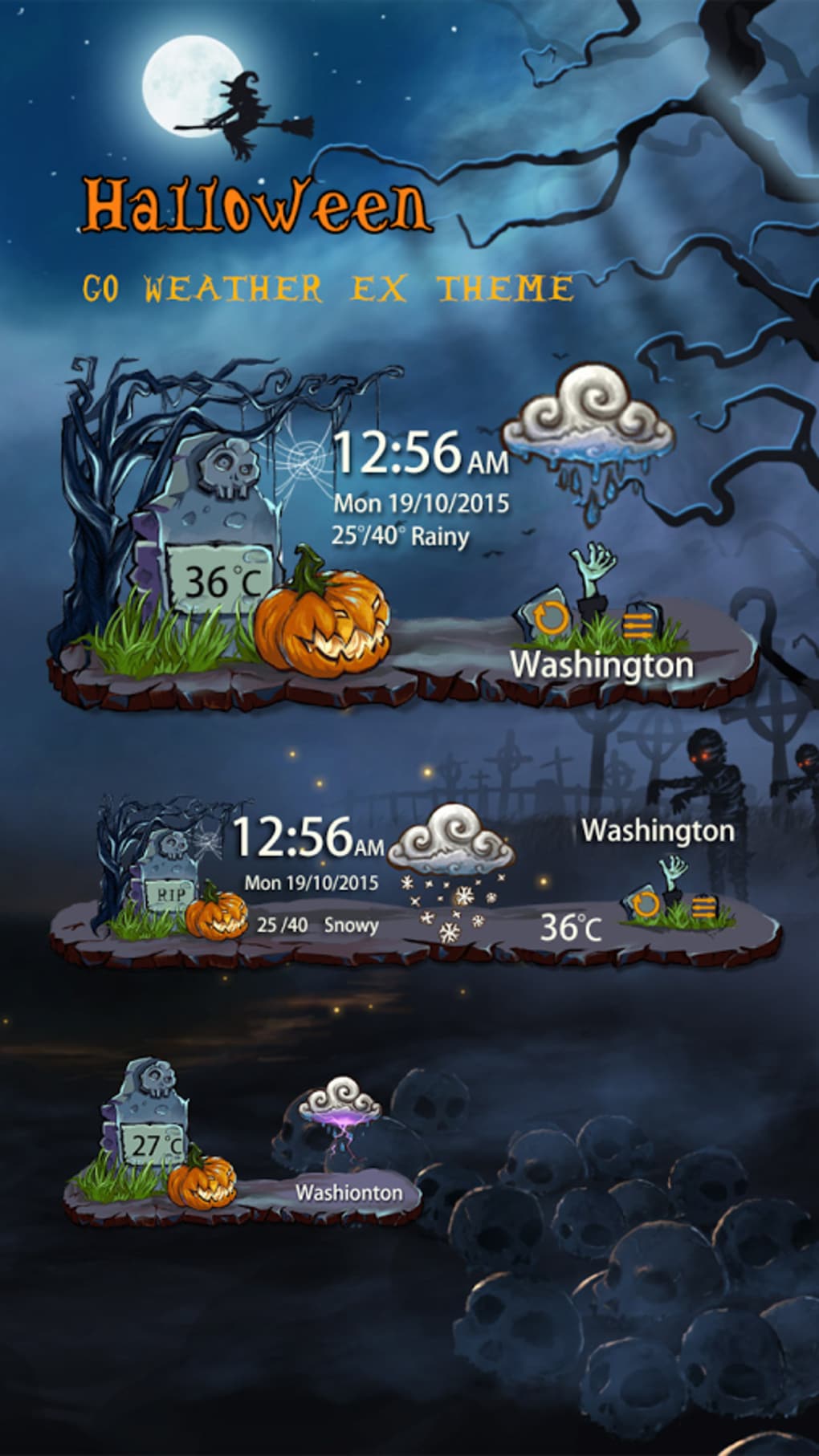
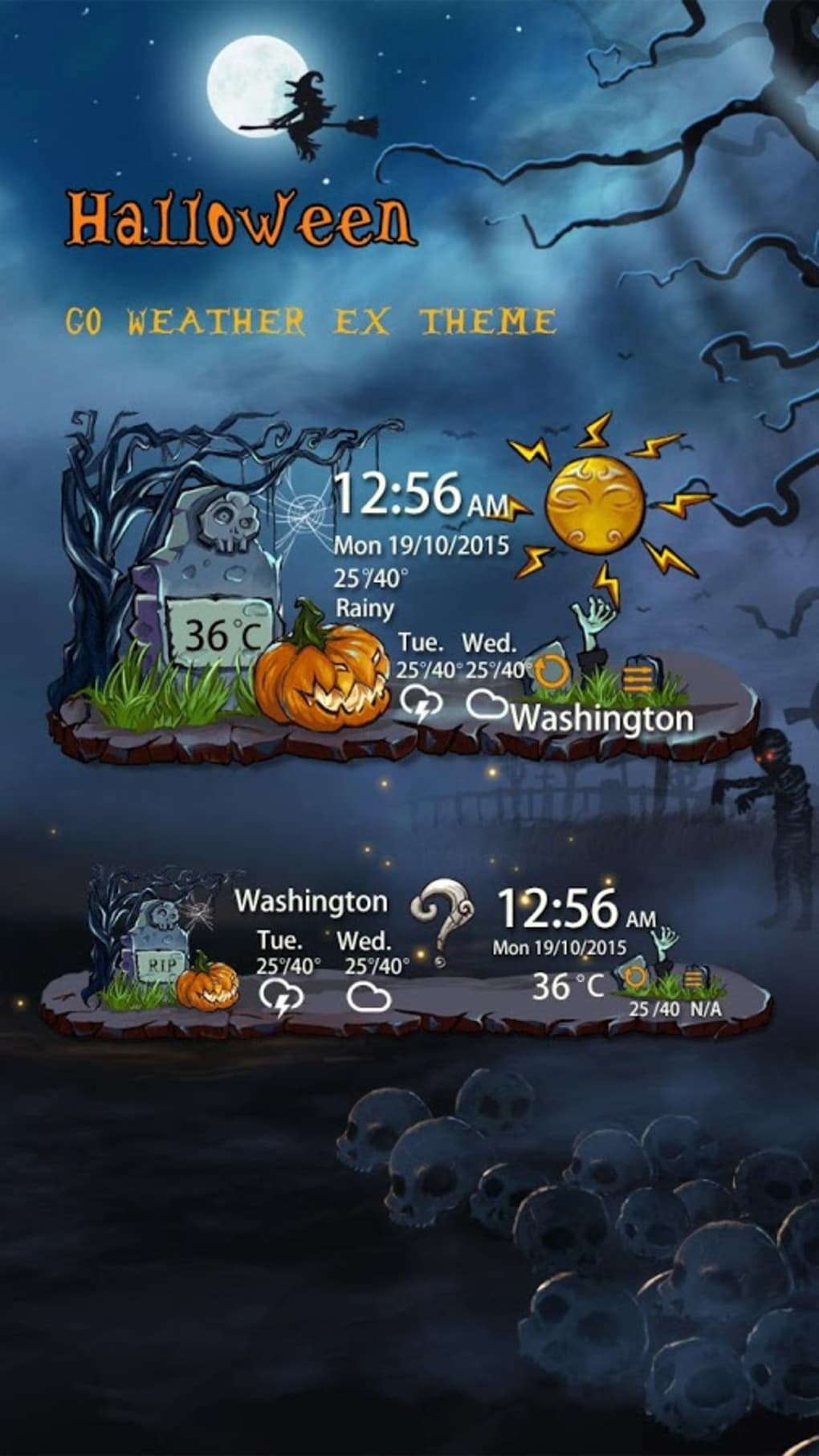
- Spooky-themed wallpapers – A curated set of Halloween-inspired visuals, including haunted houses, jack-o’-lanterns, and ghostly motifs, which replace or complement the default weather interface.
- Seamless integration with GO Weather EX – The theme is designed to work exclusively with the GO Weather EX app, ensuring compatibility and smooth visual rendering.
- Free seasonal download – Available at no cost, this theme allows users to enjoy festive visuals without any financial commitment.
- Automatic seasonal activation – The theme is triggered during the Halloween period, offering timely relevance and reducing the need for manual activation.
- Enhanced user engagement – The thematic design encourages regular interaction with the weather app, particularly during the fall season.
Users can expect to see dynamic weather displays updated with Halloween-themed backgrounds, creating a more immersive experience. For instance, when checking the forecast for a weekend evening, the interface may show a glowing pumpkin or a foggy graveyard, reinforcing the seasonal atmosphere. This feature is especially useful for families planning Halloween events or individuals who enjoy personalized digital environments.
User Interface, Workflow & Performance
The Halloween Weather Widget Theme maintains the existing UI structure of the GO Weather EX app, focusing on visual enhancement rather than functional overhaul. Navigation remains consistent with the original app, allowing users to access weather data, forecasts, and settings without disruption. The theme applies its visual elements to the main weather widget and dashboard, ensuring a cohesive look across the interface.
Workflow efficiency is preserved, as the theme does not interfere with data loading, refresh cycles, or user interactions. The visual changes are applied at the display layer, meaning that core operations such as temperature updates, precipitation alerts, and wind speed readings remain unaffected. Users can switch back to default themes at any time, depending on seasonal preferences.
Performance observations are based on general software behavior patterns. The developer did not specify resource usage details. However, given the theme’s lightweight nature and the app’s reputation for stability, it is expected to operate smoothly on most Android devices. The theme’s file size is 12.5 MB, which suggests minimal impact on storage and system performance.
Compatibility & System Requirements
The Halloween Weather Widget Theme is compatible with Android operating systems. It requires the GO Weather EX app to be installed for full functionality. The theme is designed to work with the latest version of the app, though specific version requirements were not listed.
Installation size is 12.5 MB, which is relatively small and should not pose storage issues on most Android devices. Exact system requirements were not listed, including minimum RAM, CPU specifications, or Android version compatibility beyond the OS designation.
Platform compatibility information is limited. The theme is not available for iOS or other mobile platforms, and there is no indication of desktop or tablet support. Users are advised to ensure their device runs a supported Android version and has sufficient storage for both the base app and the theme.
Pros and Cons
Pros
- Free to download and use
- Enhances visual appeal with seasonal designs
- Seamless integration with GO Weather EX
- Lightweight file size (12.5 MB)
- Automatic seasonal activation for timely relevance
Cons
- Requires GO Weather EX app to function
- Not available for iOS or other platforms
- No offline mode support mentioned
- Theme is time-limited and may not be available year-round
- Limited customization options beyond visual changes
FAQ Section
Is the Halloween Weather Widget Theme free?
Yes, the Halloween Weather Widget Theme is available at no cost. It is a free seasonal add-on for the GO Weather EX app.
Do I need to install GO Weather EX to use this theme?
Yes, the theme is designed to work exclusively with the GO Weather EX app. It cannot function independently or with the standard GO Weather app.
Is the theme available for iOS devices?
No, the Halloween Weather Widget Theme is currently only available for Android devices. There is no iOS version or support.
Can I use the theme outside of Halloween?
The theme is intended for seasonal use during the Halloween period. While it may remain accessible after the season, its availability and functionality are not guaranteed beyond the intended timeframe.
Does the theme affect battery or performance?
The developer did not specify resource usage details. However, given the theme’s lightweight nature and the app’s general stability, it is expected to have minimal impact on battery life or system performance.
Final Thoughts
The Halloween Weather Widget Theme offers a delightful blend of functionality and seasonal flair for Android users. While it does not introduce new features, its ability to transform the weather interface into a spooky, festive display adds a unique layer of enjoyment during the Halloween season. The integration with GO Weather EX is smooth, and the free access makes it an accessible choice for users seeking a bit of digital Halloween spirit.
Though limited to Android and dependent on a separate app, the theme excels in its niche. It is best suited for casual users, families, and anyone who appreciates a touch of seasonal charm in their daily digital routines. For those looking to stay updated on weather forecasts while embracing the Halloween mood, this theme delivers a satisfying experience.
Download Halloween Weather Widget Theme now





.png)

